Veeam Threat Hunter: internet access required
Veeam Threat Hunter: internet access required
Today I was working with a customer to walk them through the Staged Restore feature in Veeam Threat Hunter. We ran into an error saying it couldn’t fetch the latest malware signatures for the scan.
That made sense — their Veeam Backup Server doesn’t have internet access by design, to reduce the risk of exposure or compromise.
However, every time you run something like an Instant Recovery with staged restore, Veeam still tries to pull the latest signature updates. It wasn’t super obvious from the documentation which URLs needed to be allowed for this to work.
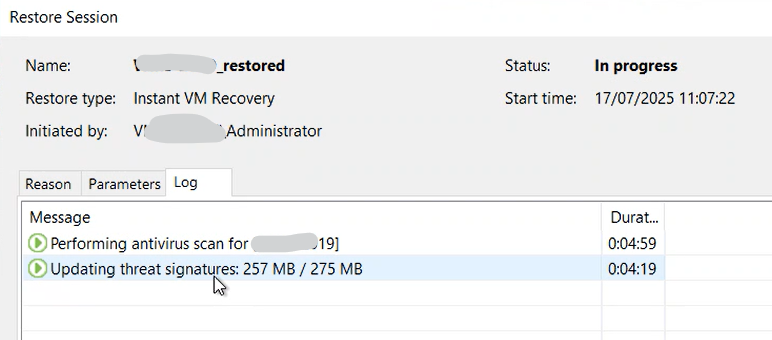
Eventually, I found the answer here:
Requirements and Limitations - User Guide for VMware vSphere *Veeam Threat Hunter has the following requirements and limitations: To get malware signature updates, a backup server…*helpcenter.veeam.com
To get malware signature updates, a backup server and a mount server must have an internet connection. You need to allow the following incoming connections:From the backup server to the Veeam License Update Server on port 443.
From the mount server to the Veeam Signature Update Server on port 443.
So, both the Backup Server and the selected Mount Server need to be able to reach the following endpoints over HTTPS:
You can find the full list of required ports and URLs here:
🔗 https://helpcenter.veeam.com/docs/backup/vsphere/used_ports.html?ver=120#backup
vbr.butler.veeam.comautolk.veeam.com
That second one — the license server — is especially easy to overlook. So yeah, not exactly obvious info, and it took some digging to get to the right place. Configure your firewall accordingly ;-)
UPDATE: before version 12.3.1.1139 some issues with internet connection via proxy server were present. This KB: https://www.veeam.com/kb4696 reports these useful infos:
Malware Detection
Custom Internet proxy support has been added for downloading updates to the Veeam Threat Hunter threat signatures. To configure, create the following registry value on the Mount Server:
Key Location: HKLM\ SOFTWARE\Veeam\Veeam Threat Hunter\Value Name: VTHInternetProxyValue Type: String Value (REG_SZ)Value Data: :
Note: The system-wide Internet proxy settings are now also respected; see the Resolved Issues section below.