Useful real time Veeam resources usage log file
Useful real time Veeam resources usage log file
Sometimes the GUIs miss something they definitely should not: this little log file written in Logs Dir by Veeam *IMO *deserves evidence in the console:
RTS.ResourcesUsage.log
let’s have a look: it continuosly reports the active connections with
- “virtual” Proxies
- **NFC **(Network File Copy) **Connections **(i.e.: communications with ESXi hosts)
- File proxies
- Repositories
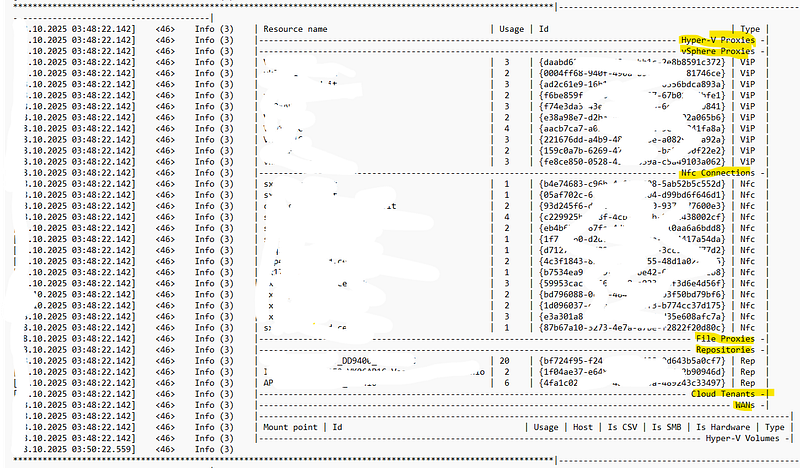
this can be really useful to understand what’s going on and potentially find bottlenecks and issues. In example, if your target repo is a *SOBR *(Scale Out Backup Repository) you can see in this file which *extent *is currently written/used.
It’s a good idea to monitor it with the “windows tail -f”
> Get-Content <path-to-the-file>\RTS.ResourcesUsage.log -Wait
this will update your screen periodically, outputting the fresh info about Veeam server’s activity