Veeam Recovery Orchestrator support of Microsoft HyperV: important limitations


Veeam Recovery Orchestrator support of Microsoft HyperV: important limitations

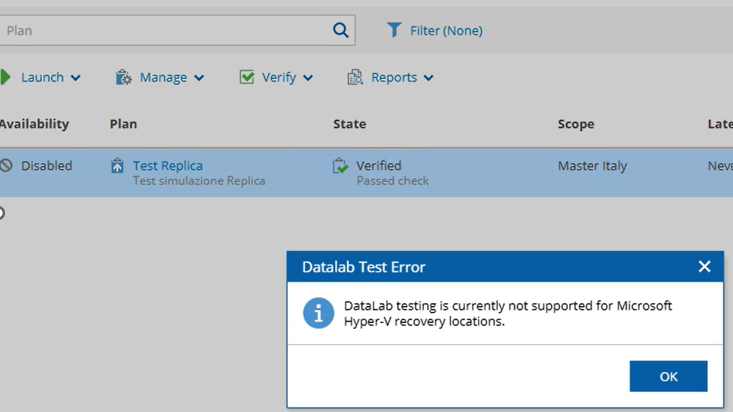
The current version (7.2.1) of Veeam Recovery Orchestrator finally supports HyperV (both for *production *and for Recovery Locations).
Now it’s possible to connect HyperV clusters also without SCVMM

Connecting Microsoft Hyper-V Servers - Veeam Recovery Orchestrator User Guide *To collect data about Microsoft Hyper-V infrastructure objects, you must configure connections either to Microsoft…*helpcenter.veeam.com

Currently, there are some caveats to keep in mind, as stated by the official docs

Veeam RMAN plugin, retention not applied?


Veeam RMAN plugin, retention not applied?

I’ve come across a few situations where **RMAN **backups using the dedicated Veeam plugin didn’t respect the configured retention policy. Specifically, I’d find .vab files in the repository that were months old, even though the retention was set to just 2–3 weeks.

This can happen, for example, if Oracle is using a Recovery Window that’s longer than what’s retained in the Control File. In those cases, you’d typically see warnings in the logs like this:

Veeam Legend status Confirmed!!!


Veeam Legend status Confirmed!!!

Today is my last working day before a three weeks long summer break, and it’s an happy day because I received the mail saying “hey, you’ll maintain the Veem Legend Status for the second half of 2025, and you will be invited to attend the Veeam 100 Meeting in Prague in November

They have been understanding, because in may/june I had some health issues (and I had the good, polite idea to inform Madalina, Safiya and Rick in advance) and my partecipation has decreased for a while… but now I’m working again on it and ranking #36 in the Veeam Community :-)

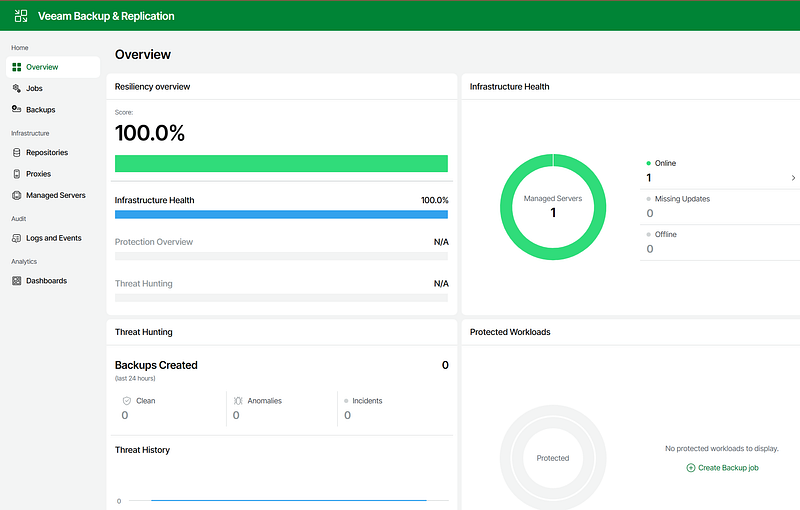
Veeam Appliance 13 Beta 2 on Proxmox 9


Veeam Appliance 13 Beta 2 on Proxmox 9

Today I finally (ab)used of my new ***NUClear ***(’cause it’s fanless and sooo smokin’ hot… like me!) with Proxmox 9 as hypervisor to install my first version of the coming Veeam 13th release.

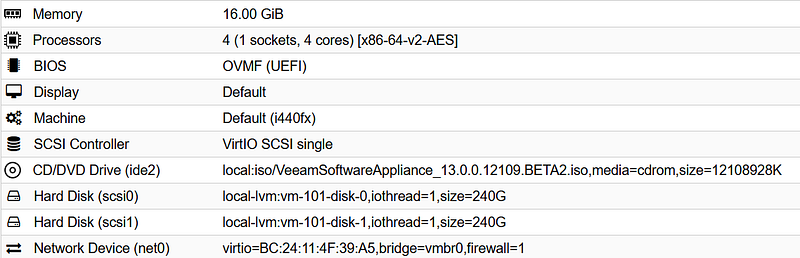
The installation was sooo easy: I just had to use proxmox new VM wizard with default setting and

  • BIOS UEFI
  • 2x 240GB discs
  • 16GB RAM

the process is really easy and does not need to read the f… manual except for the password settings: pro tip: ask *ChatGPT *or *Gemini *to write a DISA STIG compliant but easy to type password ;-) also have your Proton/Google authenticator at hand: MFA is mandatory!

Proxmox 9 is out


Proxmox 9 is out

The new release brings an important feature: the availability of snapshots with Enterprise class storages (SAN) on protocol FCP and iSCSI.

Proxmox Virtual Environment 9.0 with Debian 13 released *Latest announcements for Proxmox.*www.proxmox.com

I have just installed it for testing and learning on the NUC inherited from Fabio S.

Immediately after the installation in a lab, it’s needed to remove the Enterprise repos which require a subscription and add the Community one.

S.E.: Celestica again


S.E.: Celestica again

I already wrote two times back in January about this company: Celestica

S.E.: a surprising HW IT Stock *Another interesting, suprising success story is about this producer: CELESTICA. The suprise is that an hardware vendor…*blog.tinivelli.comS.E.: beware of Deep FAKE news *I mentioned this intriguing stock CELESTICA a few days ago. On “Deep Fake News Monday” with headlines like “The free…*blog.tinivelli.com

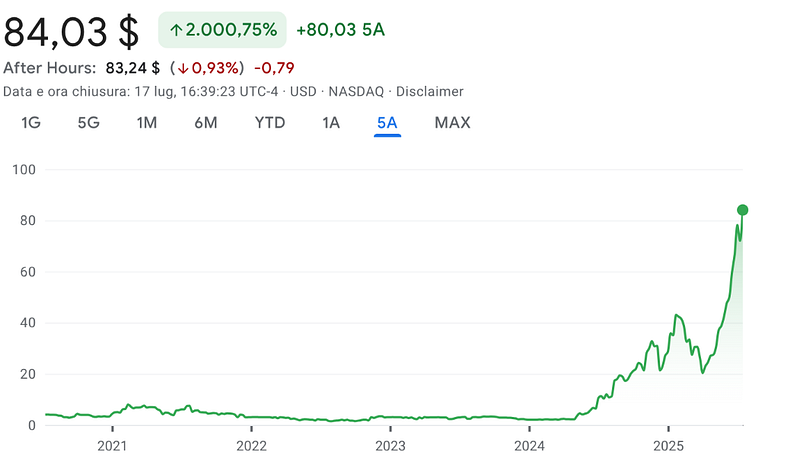
during the worst period of the trump storm (shit) the stock was down, at a very low level. Thanks Anubi, I didn’t sell it. A pretty good idea, have a look:

Veeam Explorer for Oracle: restore on a different target server


Veeam Explorer for Oracle: restore on a different target server

Veeam Explorer for Oracle is a tool for easy restore of Oracle Databases. It allows the DBa/Backup Admin/Operator to revert/repair a DB on the same server where the backup was taken, or move DBs from the original machine to a different one.

It works with *full image based backups of a Oracle VM *(aka Application Item Restore), or with RMAN Plugins backups.

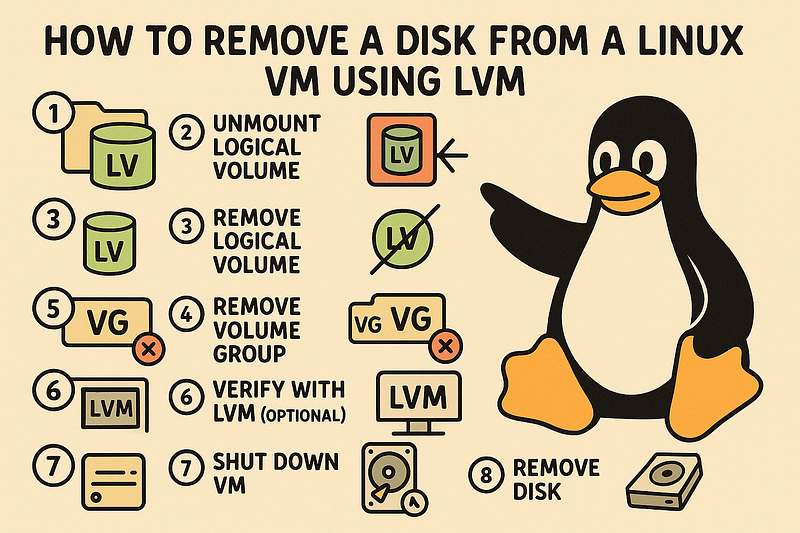
How to remove a virtual disk from a Linux VM using LVM


How to remove a virtual disk from a Linux VM using LVM

Sometimes you might need to remove a physical disk from a Linux VM that uses LVM. The proper way to do this is to cleanly remove it from the OS and LVM before detaching it from the hypervisor. Here’s a quick rundown of the steps (path and device names are an example):

  1. Unmount the logical volume (if it’s mounted) Even if you think it’s not mounted, better to check and unmount just in case:
# sudo umount /dev/VolGroup01/LogVol02
  1. Deactivate the logical volume
# sudo lvchange -an /dev/VolGroup01/LogVol02
  1. Remove the logical volume
# sudo lvremove /dev/VolGroup01/LogVol02
  1. Remove the volume group (OPTIONAL: only if VolGroup01 had just that LV)

Check first:

S.E.: Power Solutions International Inc


S.E.: Power Solutions International Inc

Today we’re talking about this stock from a company that makes a super old-school product — what people now like to call ICE: good old internal combustion engines.

The company was already doing well before the big spring crash, triggered by the worst president in U.S. history. Like many others, it bounced back afterward — but with a surprisingly steep climb for something that was supposed to be dead. And as it revs up, it waves goodbye to Greta.