Friday Rant


Friday Rant

Back in 2011, at the company where I worked, we bought our first “next-gen firewall” — Palo Alto Networks. We were so proud, finally writing rules by application instead of “ip:port”.

Who would’ve thought that, fifteen years later, I’d be the one saying: “please open ports 22, 135, 137, 445, 6324, 10023… from IP X to IP Y.

Thinking about how sophisticated cybercriminals have become at moving data around, this whole thing isn’t just boring — it’s downright absurd.
Beware of dedupe appliances


Beware of dedupe appliances

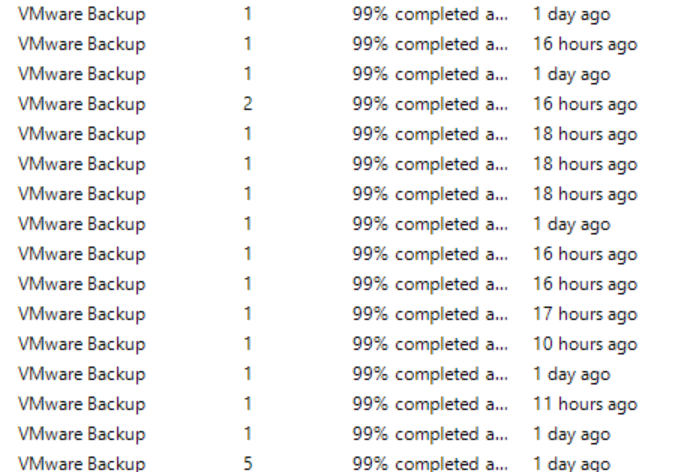
I recently ran into a situation on a Veeam backup server where a bunch of jobs were stuck at 99%.

Digging into the stats, it turned out the culprit was Synthetic Full creation — when a job is waiting for that process to complete, it sits at 99%, and the only way to monitor progress is to check each VM individually.

In this case, the backup repository was a deduplication appliance (a Dell EMC DataDomain), and some of those Synthetic Fulls were sitting at 30% after 24 hours — or even longer. Most likely, things piled up, creating a bottleneck that was freezing everything in place.

Useful real time Veeam resources usage log file


Useful real time Veeam resources usage log file

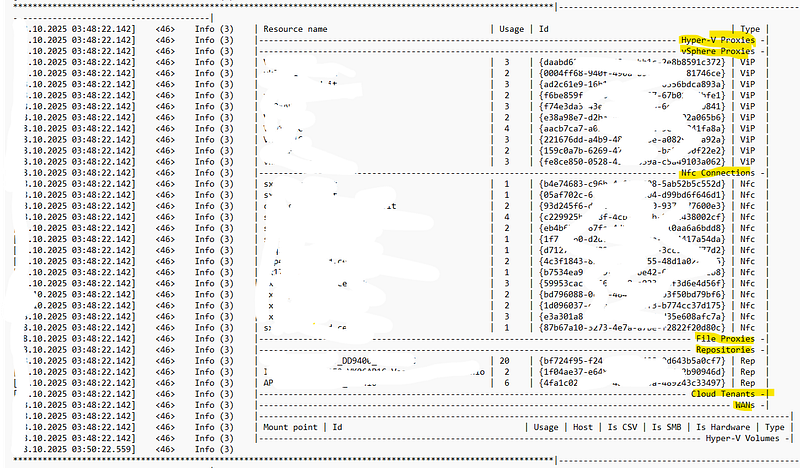
Sometimes the GUIs miss something they definitely should not: this little log file written in Logs Dir by Veeam *IMO *deserves evidence in the console:

RTS.ResourcesUsage.log

let’s have a look: it continuosly reports the active connections with

  • “virtual” Proxies
  • **NFC **(Network File Copy) **Connections **(i.e.: communications with ESXi hosts)
  • File proxies
  • Repositories

this can be really useful to understand what’s going on and potentially find bottlenecks and issues. In example, if your target repo is a *SOBR *(Scale Out Backup Repository) you can see in this file which *extent *is currently written/used.

Veeam PS gallery: last backup


Today, together with my imaginary friend (as my *real *friend Antonio calls him), we created a script that analyzes the backup history on the VBR server and generates an alert if the last successful backup is older than X hours.

First of all, this is not my preferred approach, because custom scripts should be avoided when possible, especially when you are using them for a kind of “automated alert generation”. Why? I have many reasons for it: in example when you perform upgrades (i.e. on the VBR Server) they could silently stop working. Ok you can update/rewrite them but it’s a matter of remembering about them. Much better to use of Veeam ONE and other monitoring tools. And use the correct approach of monitoring SLAs with report like V1’s Protected VMs.

Finding Clusters in AD for proper Veeam’s Protection Group creation (and not only)


Finding Clusters in AD for proper Veeam’s Protection Group creation (and not only)

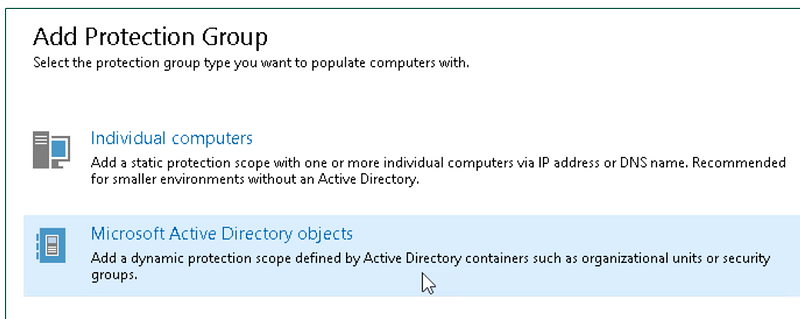
Veeam Agent is able to protect “classic” Windows Failover Clusters with shared disks, but this KB explains that the creation of theProtection Group must be properly done: using the *Microsoft Active Directory objects *option and naming the cluster account, not the individual nodes.

This ensures a correct, not redundant, protection of shared disks.

Creating the PG:

and the job:

S.E.: Celestica again and again


S.E.: Celestica again and again

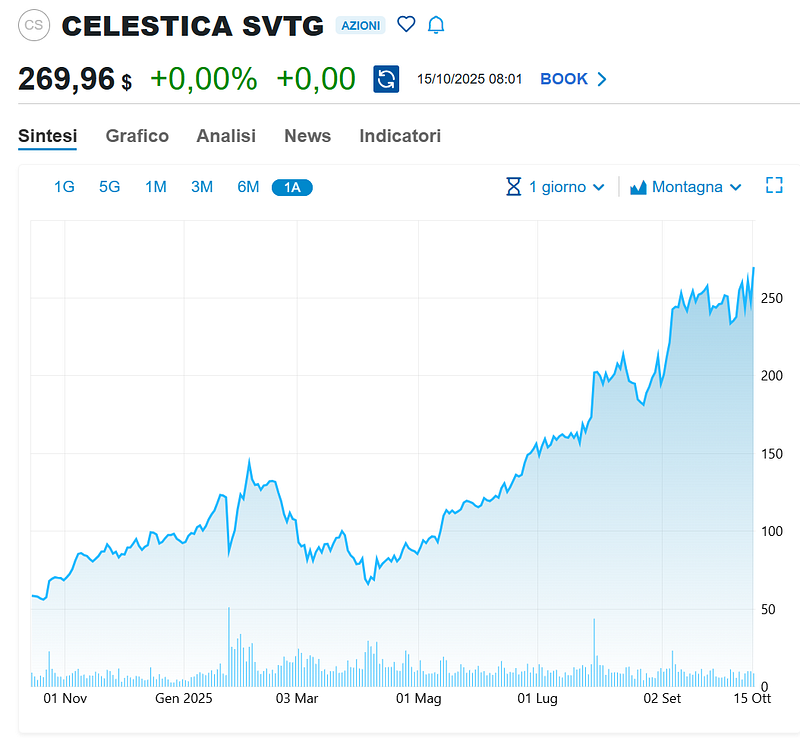
Celestica is not stopping its grow in the Stock Exchange Market. I already wrote about this company in January and July.

Don’t tell me “why didn’t you share this info!” ;-)

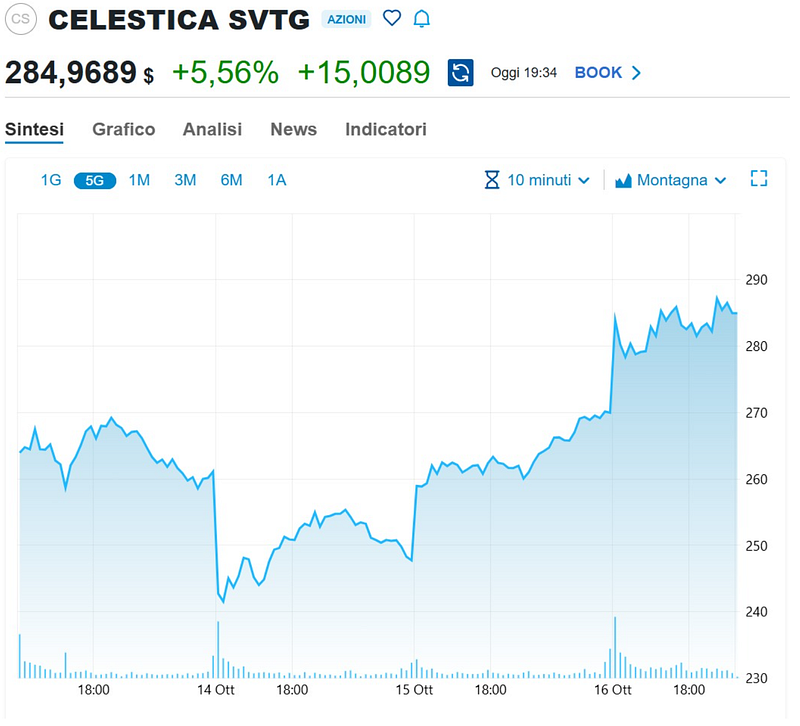
Update: during the day of this post, it gained another 10%

  • Disclaimer*

The content provided on this blog is for informational purposes only and should not be considered professional financial or investment advice. The opinions and ideas shared are based on personal experiences and may not be suitable for every individual or investment situation.

Veeam’s bounty program strikes again


Veeam’s bounty program strikes again

Hey guys, another patch (yes it’s just a patch, much easier to update) is needed.

Urgently for the bad ones who has not moved the Veeam VBR Server out of the AD Domain. Ok, sorry, the very good guys who have a dedicated AD domain are very good, but need to update soon anyway ;-)

More details in the kb (yeah, there is a couple of 9.9 again): https://www.veeam.com/kb4771

Veeam PS collection: Lazy admin creating a Protection Group


Veeam PS collection: Lazy admin creating a Protection Group

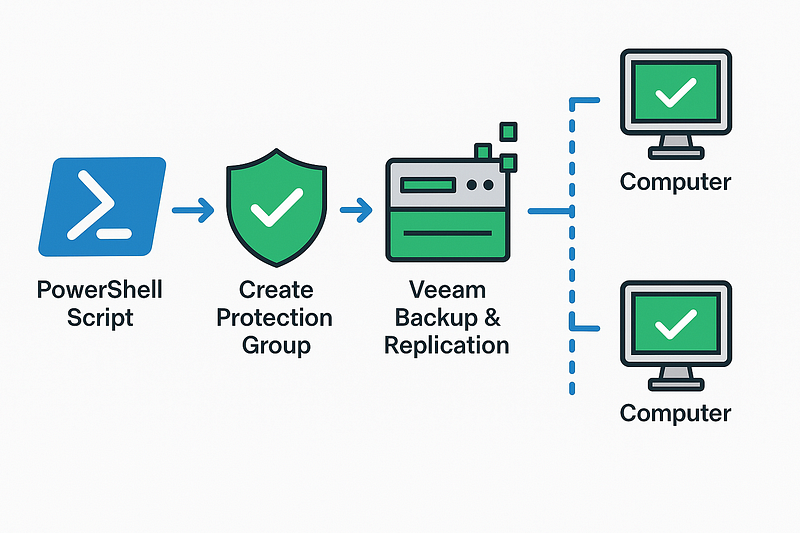
I’m going to create a pretty large number of P.G.s so I and ChatGPT have written a little script that automates it, with the most common and safe options.

This script works with Veeam 12 and creates a Protection Group as Individual Computers with N machines, install *Agents (no CBT for Windows), does not install Plug-Ins, * does **not **start a rescan/installation,  does **not **perform automatic reboot

Veeam automatic proxy selection during Restore operations


Veeam automatic proxy selection during Restore operations

In the IT world, “automatic” options are often the best, but that’s not always true. Probably AI will make automatic choiches better soon, yes. But in the while it’s wise to review what’s happening behind the scene when a critical restore of a huge VM undergoes. Oh, let’s assume Instant Recovery is not viable (in example: you are restoring from slow, *maybe *deduplicating, appliances…).

Move Veeam and VMware (Broadcom) certifications to another account…


Move Veeam and VMware (Broadcom) certifications to another account…

It happens you decide to leave your company… or your company decide to die. And you had registered your exams/certifications with the company email. I was worried about my **VMCE **(Veeam) and VCP-DCV (VMware) but moving them was really easier and let’s say *more HUMAN *than expected.

Veeam: I already had a Veeam account with my personal email, so I just wrote an email to vmce@veeam.com with all the details (new and old emails, pdf of the certifications…) requesting the change. They answered almost immediatly! It will take a couple of days for the process to complete, they said.