Move Veeam and VMware (Broadcom) certifications to another account…
Move Veeam and VMware (Broadcom) certifications to another account…
It happens you decide to leave your company… or your company decide to die. And you had registered your exams/certifications with the company email. I was worried about my **VMCE **(Veeam) and VCP-DCV (VMware) but moving them was really easier and let’s say *more HUMAN *than expected.
Veeam: I already had a Veeam account with my personal email, so I just wrote an email to vmce@veeam.com with all the details (new and old emails, pdf of the certifications…) requesting the change. They answered almost immediatly! It will take a couple of days for the process to complete, they said.
**VMware **(Broadcom): I already had a support.broadcom.com account with my personal email. I logged in it then opened in the same browser session www.certmetrics.com/vmware. I did the same on another browser session (log in to support.broadcom.com and then open www.certmetrics.com/vmware)..) From the old certmetrics account, where my certifications appeared correctly, I copied my ID:
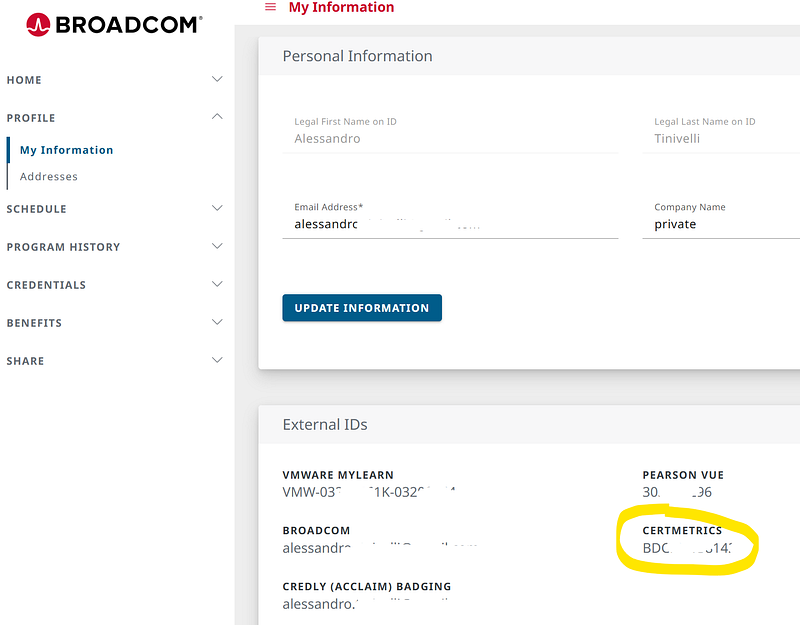
and let ChatGPT write an email for me to global.exams@broadcom.com :-D
Dear Broadcom Certification Team,
I would like to request the transfer of my VMware certifications from my old account (linked to my former company email) to my new account associated with my personal email.
Here are the details:
Candidate ID: BDCMxxxxxxx
Old email (company): alessandro.tinivelli@xxxxxx.it
New email (personal): alessandro.tinivelli@xxxxxxxxx.com
Please merge my certification records into my personal account and make it the primary one for all future use.
Thank you very much for your assistance.
Best regards,
they were even faster than Veeam, and the badges immediatly appeared on my private account!
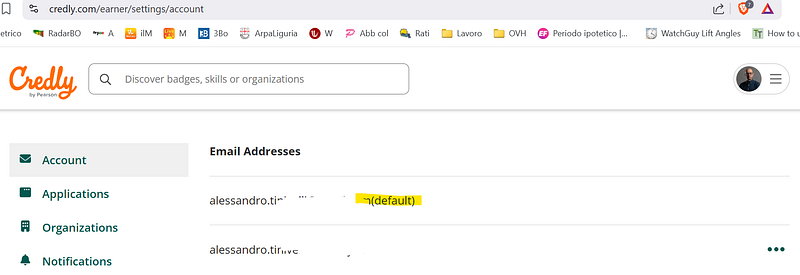
Credly: the pearsonvue site where badges are published on: log in on it and add your private email, set it as default (tip: leave the old one in place at least for some time. and activate the MFA!!!)
that’s all, I hope!